Partition Magic - Partition Manager Software
Extend partition with one step
Resize/Move partition without data loss.
Create, delete and format partion with simple steps. Copy partition and disk to transfer data with ease. Support disk and partition size larger than 2 TB. Keep your data safe even in case of power outages or hardware failure.
Resize/Move partition without data loss.
Create, delete and format partion with simple steps. Copy partition and disk to transfer data with ease. Support disk and partition size larger than 2 TB. Keep your data safe even in case of power outages or hardware failure.

Partition Logic create partition
- Partition Logic is a partition tool, so it does not only has its own system but also can create different types of partitions. Now download and show how to create partition with Partition Logic.
Launch the software and you sill see a disk with the size of 5 GB. It has no partitions.
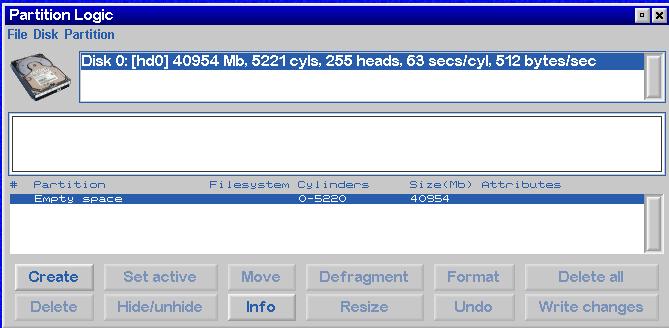
Now create a partition according to our needs.
First, select the empty space, right click and select Create. Or Select Create at the bottom of the window.
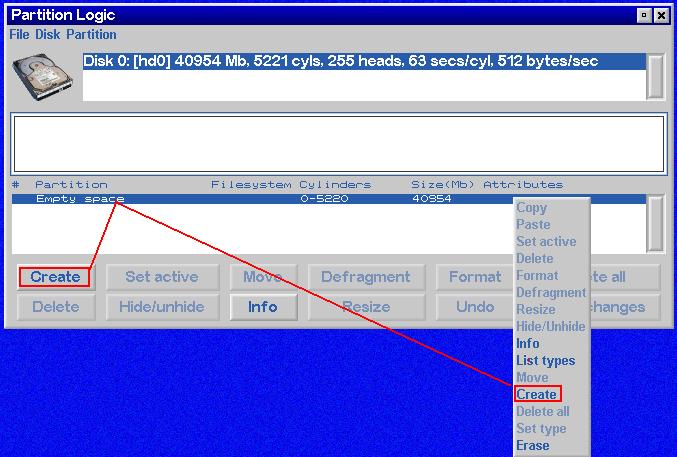
Second, after click Create, you will see the following window:
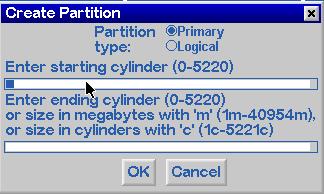
From the above picture, we can define the partition type, size, here just create a partition according to needs.
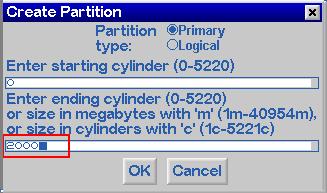
Third, click Ok and you will see the following window:
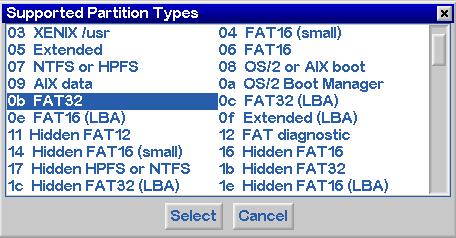
Here select the file system of the created partition. Now the file system is FAT32, then click Select.
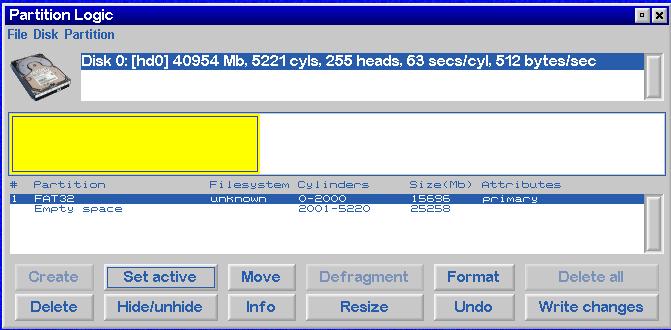
At last, click write changes, and you can create a FAT32 partition.
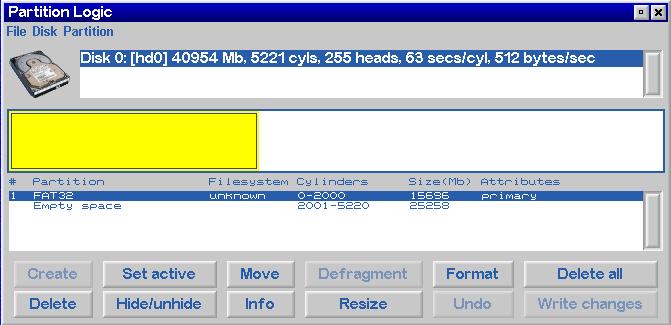
Partition Magic Manager Resource
Partition Magic Keywords
Partition Manager
- Hard disk copy
- Disk management tools
- Hard disk manager
- Hard disk management program
- What is Partition Manger?
- Paragon Partition Manager v10.0 Server New Features
- Partition Manager resize partition
- Partition Manager change partition letter
- Partition Manager Move partition
- Partition Manager convert partition
- Partition Manager copy partition
- Partition Manager Format partition
- Partition Manager create partition
- Partition Manager Partition backup
Disk Director
- What is Disk Director?
- What is new in Acronis Disk Director Suite 10.0?
- Disk Director resize partition
- Disk Director change partition letter
- Disk Director Move partition
- Disk Director convert partition
- Disk Director copy partition
- Disk Director Format partition
- Disk Director create partition
- Disk Director merge partition
Partition Master
- What is Partition Master?
- Partition Master V4.1.1 New Functions
- Partition Master resize partition
- Partition Master change partition letter
- Partition Master Move partition
- Partition Master convert partition
- Partition Master copy partition
- Partition Master format partition
- Partition Master create partition
- Partition Master Hide partition
Partition Logic
PQ Partition Magic keyword